Why n8n runs out of memory at scale
Fix n8n memory failures by measuring peak usage, reducing retained data, and matching concurrency and binary storage to your deployment.
On this page
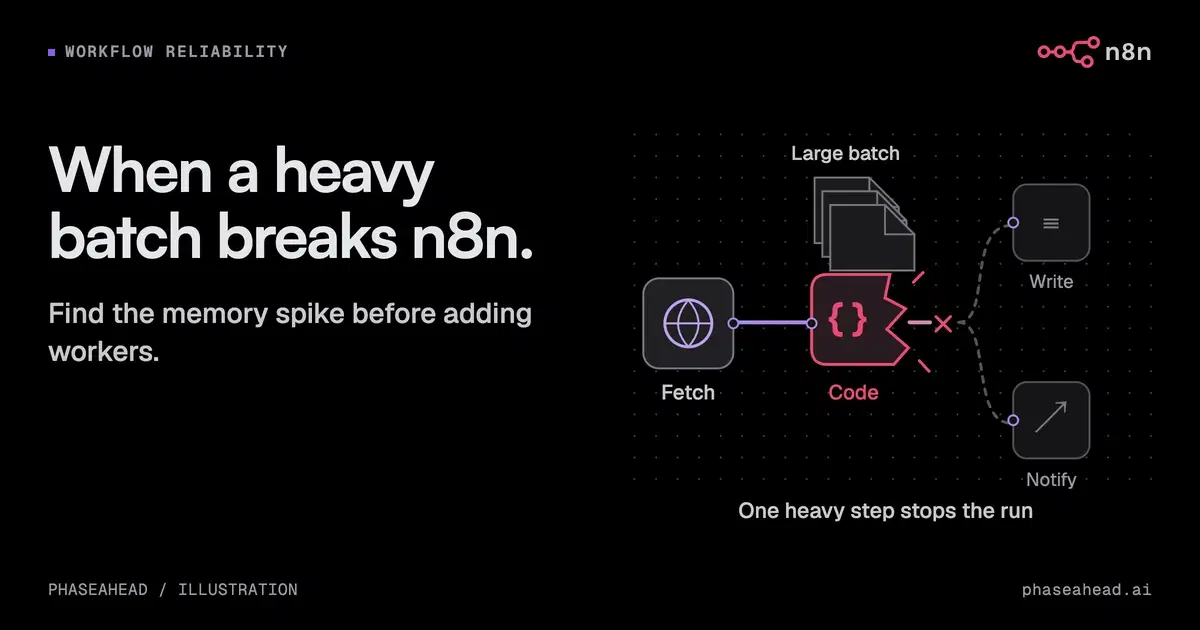
If n8n fails when a workflow reaches a particular record count, check how much data it holds in memory at the busiest step. There is no universal 250-record limit or fixed heap ceiling that explains every deployment.
The n8n memory guide identifies the size of the data passed between steps, binary data, workflow structure, and manual execution as relevant factors. We would first reproduce the failing step and measure memory before changing infrastructure.
TL;DR Find which process ran out of memory. Reduce the data held in each run before adding capacity. Queue mode can spread work across workers, but it cannot shrink an oversized execution.
Determine which limit was reached
Check execution logs, process memory, container limits, and host events. A JavaScript heap error and a container killed for exceeding its memory allocation need related but different investigation.
Record the n8n and Node versions, execution mode, task-runner configuration, and concurrent work. Identify whether the main process, a worker, or a task runner failed. Raising a limit on the wrong process will not help.
Manual execution can retain extra data for the editor. Compare it with the production execution path rather than assuming both have the same memory profile.
Reduce the amount retained in one execution
Fetch only the fields needed for the next step. Paginate at the source where possible. Pass file references instead of repeatedly copying large binary values through the workflow.
Batch expensive work and return small summaries from sub-workflows. Check that the parent does not collect every large output again. A loop alone does not bound memory if the full input was already loaded and retained.
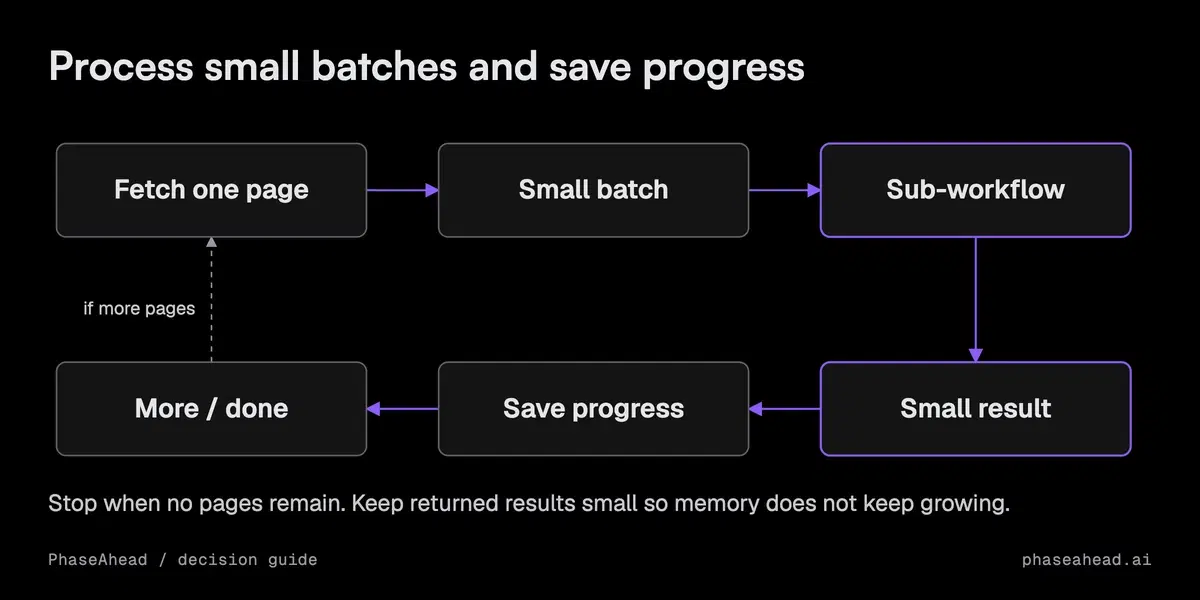
Review Code nodes that load every item at once or copy large objects. Process isolation can protect another process, but the isolated process still needs enough memory for its own workload.
Match storage to the deployment
Binary storage and execution history are separate concerns. Moving files out of memory can reduce pressure, while execution-data pruning controls retained history and database growth.
Choose retention around debugging, recovery, and data obligations. Disabling all successful-run history may reduce storage but remove evidence your team needs. Keep enough metadata to reconcile consequential actions.
For a single instance, filesystem binary storage may be appropriate. For queue mode, follow the binary-storage and queue documentation for the installed version and plan. Do not copy a local-filesystem setting into a distributed deployment and assume every worker can read the files.
Add queue mode for a measured execution need
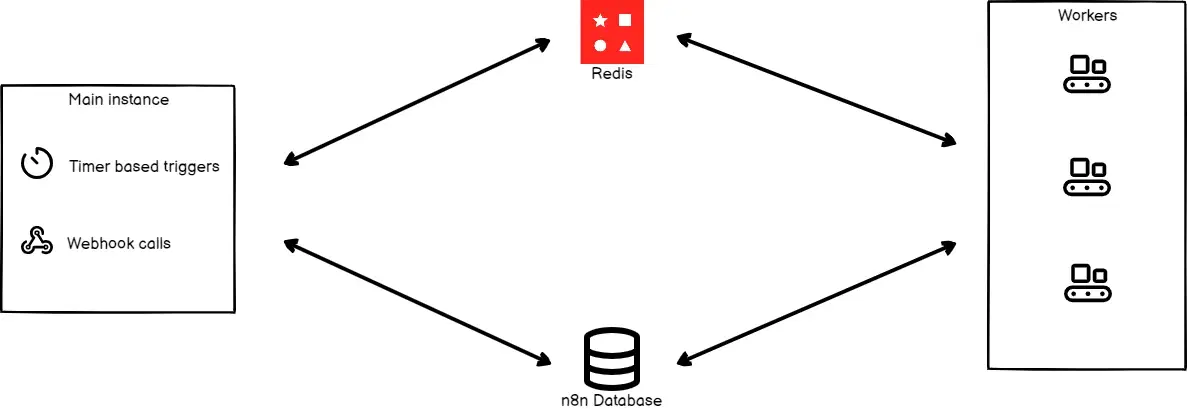
Queue mode separates the main instance from workers and uses Redis to coordinate execution. It can help isolate work and increase throughput. It does not make an individual oversized execution smaller.
Use a supported production database and shared configuration. Account for the memory used by each concurrent execution, task runners, Redis, and the database. Increasing worker concurrency can increase memory pressure even when individual runs succeed.
The official diagram shows the separation between the main process, queue, workers, and database:
There is no universal executions-per-day threshold for this change. The workload's duration, memory use, peak arrivals, and availability requirements matter more than a daily total.
Recover without repeating business actions
Set and verify restart behavior in the actual deployment. A container image alone does not guarantee the orchestrator will restart a failed process.
Then test what happens to in-flight work. Save progress after each completed batch. For external writes, use request IDs that prevent duplicate actions where supported, and check uncertain results against the destination system. A restarted workflow must not resend invoices or duplicate CRM records merely because the previous attempt ended uncertainly.
This is the same recovery requirement that applies to production agents. Infrastructure recovery and business-process recovery are separate checks.
Decide what to change from the evidence
| Observation | First investigation |
|---|---|
| One step creates a sharp memory spike | Data size, copies, and retained output |
| Individual runs fit, concurrent runs fail | Concurrency and total worker capacity |
| Files cause the spike | Supported binary storage and file handling |
| History grows while runs remain stable | Retention and database maintenance |
| Process returns but records are missing or duplicated | Checkpoint and retry behavior |
Take the failing workflow, logs, and peak-memory measurements into the review. Choose less data held in memory, more capacity, or an execution redesign based on that evidence. If ongoing operations exceed your team's capacity, include ownership in the internal-versus-partner decision.

Sources
- n8n: Fix memory issues
- n8n: Queue mode
- n8n: Binary data
- n8n: Execution data
Common questions
Does n8n have a fixed record limit?
Does n8n have a fixed record limit?
No. Memory depends on the size of the data passed between steps, retained intermediate data, binary files, concurrency, and deployment limits. The same record count can produce very different memory use.
Will queue mode fix an oversized workflow?
Will queue mode fix an oversized workflow?
It separates execution work and allows scaling, but each worker still needs enough memory for its jobs. Reduce an oversized execution and size concurrency before adding workers.
Can we use filesystem binary storage in queue mode?
Can we use filesystem binary storage in queue mode?
Do not assume a single-instance filesystem setup transfers to queue mode. Follow the supported shared-storage configuration for your n8n version and plan; the queue-mode documentation warns against filesystem binary storage.
Should we increase the Node heap limit?
Should we increase the Node heap limit?
Only after checking which process failed and how much memory the workload needs. A higher heap limit will not fix a workflow that keeps loading and retaining more data.