Check your vibe-coded app for data exposure
Review an AI-built app by testing permissions, database policies, secrets, and server-side actions. Separate exposed public keys from privileged credentials.
On this page
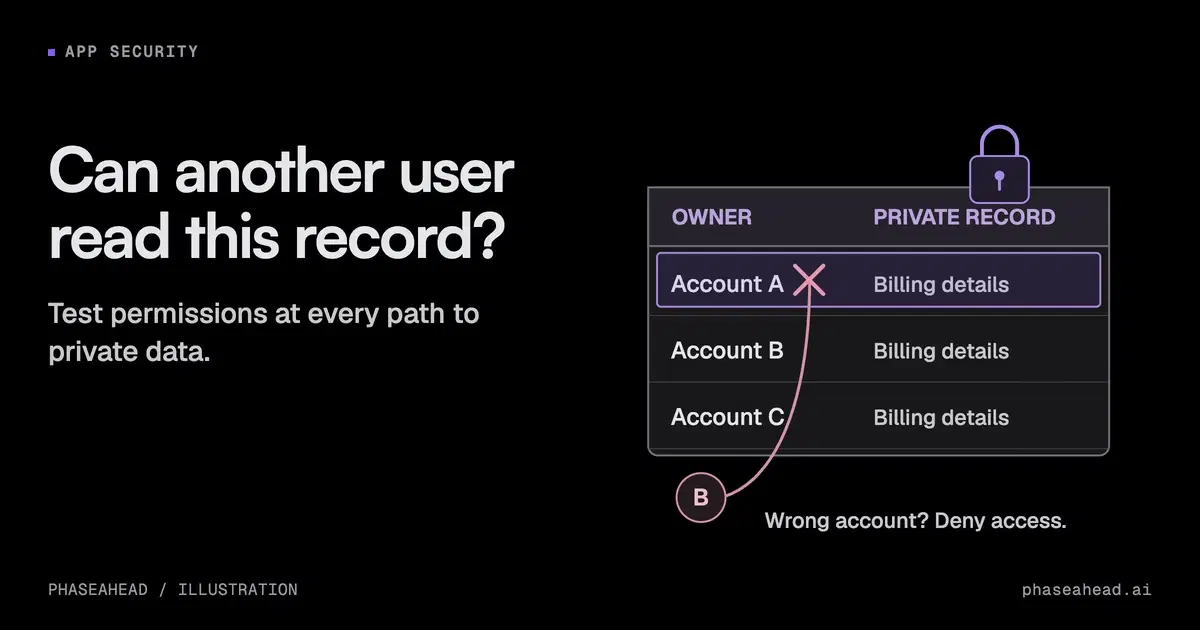
If an AI-built app accepts real customer data, check its access controls before expanding usage. The important question is whether each caller can read and change only what the product permits.
The tool that generated the code does not answer that question. Test the deployed behavior across users, roles, and unauthenticated requests. A login screen and a working demo do not show that one customer cannot access another customer's data.
TL;DR Test access as different users and without logging in. Check database policies and server endpoints, protect privileged keys, and confirm findings against the deployed app.
Start with the data and actions that matter
List private records, file uploads, billing actions, administrative functions, and integrations. For each, define who may read, create, change, and delete it.
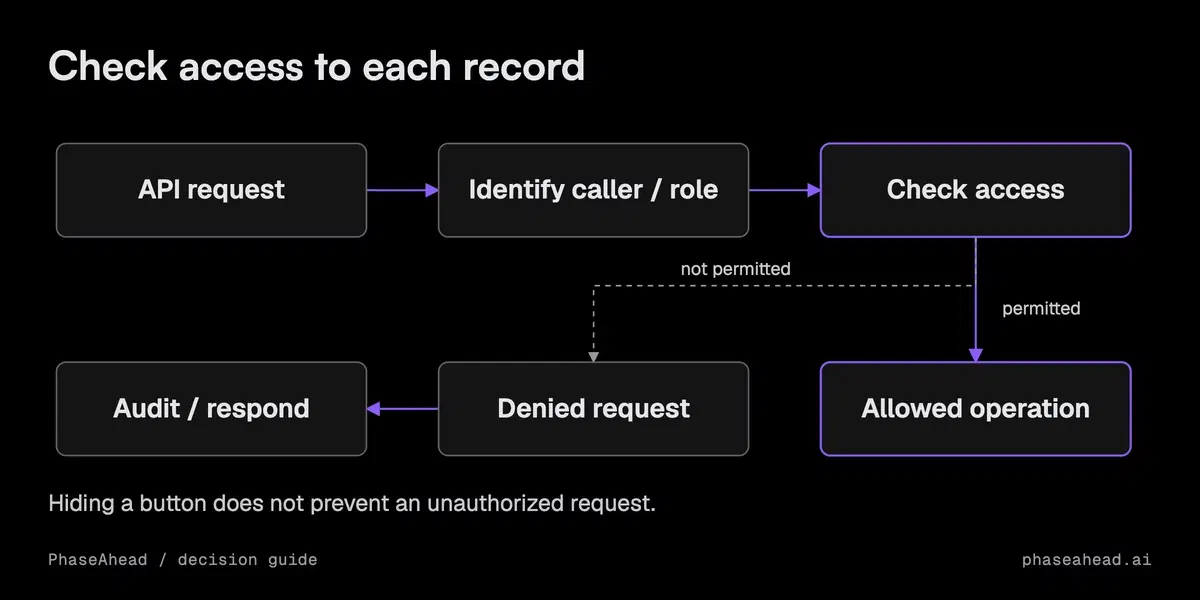
Use separate test accounts and non-sensitive test data. Try the intended action, then repeat it as a different user and without authentication. Change record identifiers and tenant identifiers in the request. A hidden button is not a server-side permission check.
OWASP's authorization guidance recommends enforcing access controls consistently and validating permission on requests. Apply that principle to APIs, background jobs, and storage, not just pages.
Check Supabase grants and policies together
Supabase's row-level security documentation describes how policies constrain row access. Review table grants, RLS status, and policies for the operations your application exposes.
An RLS-enabled indicator does not prove the intended policy exists. A missing policy can prevent access; an overly broad policy can permit too much. Test reads and writes separately, including whether a user can create or update a record with another user's owner ID.
Public tables may legitimately return data to anonymous callers. The failure is unintended access, not the mere presence of a successful response.
Distinguish public keys from privileged credentials
Supabase's API-key guide distinguishes publishable keys from secret keys. A client application can contain a publishable key. A secret key or legacy service-role key has privileged access and must stay under server control.
Inspect the shipped client bundle and configuration for privileged credentials. If a secret was exposed, remove it from the public path and rotate it. Review relevant access logs and the reachable data before deciding the incident is resolved.
Do not treat moving a secret to an environment variable as sufficient. Build tools can still embed variables intended for the client. Verify the deployed artifact.
Review server actions and integrations
A server endpoint using privileged database access must enforce the caller's permissions itself. Validate the authenticated identity, permitted operation, record ownership, and input. Do not trust a user ID supplied in the request body as proof of identity.
Check file download paths, signed URLs, webhook verification, and admin actions. A secure database policy cannot protect a separate endpoint that returns the same records with an elevated credential.
For payments or bookings, verify that replaying a request cannot repeat a consequential action. Checking who may act and preventing duplicate actions solve different problems, and both can matter.
Use scanning as part of the review
Static analysis, dependency checks, and public exposure scans can find useful issues. They do not fully establish the behavior of authenticated roles or prove that business rules are enforced.
For each finding, check whether someone could use it to access data or perform an unintended action. For each important permission boundary, keep evidence of an allowed case and a denied case. Do not dismiss a real exposure because the app uses a reputable platform, or label an intended public asset a breach because a scanner found it.
Set a clear release condition
Before launch, the owner should be able to show that privileged credentials are protected, private data is isolated, and consequential actions enforce their rules. Fix unintended access to private data or important actions before allowing more users onto the app.
Then cover the broader prototype-to-production checks: backups, deployment, monitoring, recovery, and operating ownership. If the app includes AI decisions, add the answer and action checks relevant to that feature.
Start with one private record and follow every path that can read or change it. That is a concrete security review task with a result you can verify.
Sources
- Supabase: Row-level security
- Supabase: API keys
- OWASP: Authorization cheat sheet
Common questions
Is a public Supabase key a leaked secret?
Is a public Supabase key a leaked secret?
A publishable key or legacy anon key is intended for client use. Security depends on the grants, row-level policies, and endpoints it can reach. Secret and service-role keys must stay server-side.
Does enabling row-level security make a table safe?
Does enabling row-level security make a table safe?
It is one step. Check grants and policies for each operation and role, then test expected access and denials. An enabled RLS flag does not show that the intended policy exists or is correct.
Should every anonymous database request fail?
Should every anonymous database request fail?
No. Public data may be intentionally readable. The test is whether the caller can access only the data and operations the product intends to expose.
Can a public website scan prove the app is secure?
Can a public website scan prove the app is secure?
No. It can reveal some visible exposures, but cannot fully test authenticated roles, private code, infrastructure, or internal workflows. Treat it as one source of evidence.